Colours & materials
Create your own colour library based on the sheet materials you use. Use it to give your project colour and shape.
More details
Prepare cabinet models, panels and parts lists for the workshop.
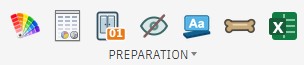
Prepare the model before machining.
Create your own colour library based on the sheet materials you use. Use it to give your project colour and shape.
More detailsExport all parts, edge banding and required hardware to Excel or CSV. Use CSV to prepare a cut list for tools such as MaxCut. Add machining allowance to panels that will be routed around the perimeter.
More details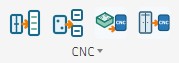
Create a setup for a component manually. Rename Setups gives it the name of the corresponding component or body.
Automatically create setups for the selected component without adding operations. You can specify a stock side offset.
Create programs from the selected setups for each CNC machine, for all components or just the ones you select. Configure all cutters and drills, review the operations and regenerate them before posting. You can also post only.
Automatically generate setups and operations for a cabinet you designed or one from Custom Cabinet. Calibrate, drill and route by cabinet or by component.
Settings descriptions will be added here.